Made by A.W. Lukens with Scribe
1. Right click the table.

2. Click "Table Properties..."

3. Click "Row."
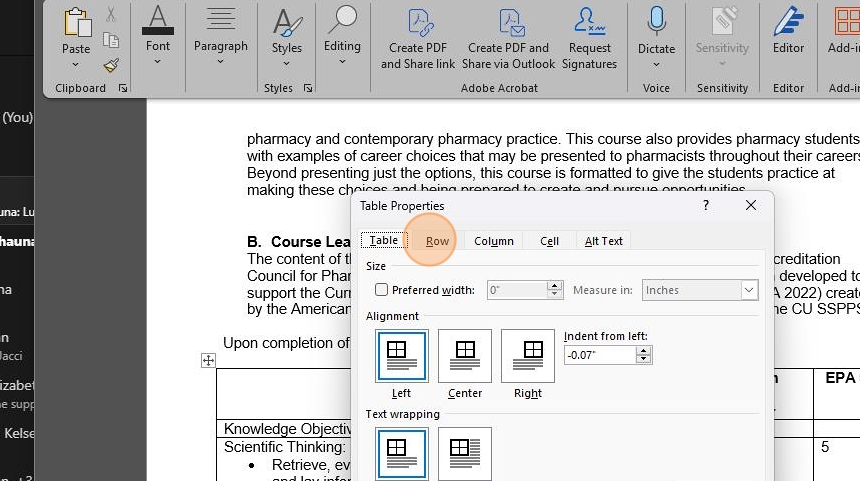
4. Right click "Repeat as header row at the top of each page."
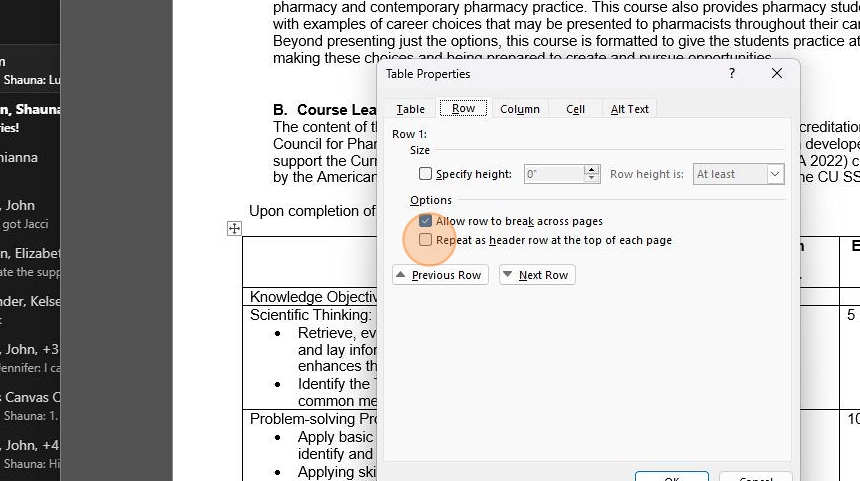
5. Click "Repeat as header row at the top of each page."

6. Click "OK."


Made by A.W. Lukens with Scribe
1. Right click the table.
2. Click "Table Properties..."
3. Click "Row."
4. Right click "Repeat as header row at the top of each page."
5. Click "Repeat as header row at the top of each page."
6. Click "OK."
Comments
0 comments
Article is closed for comments.